
Preparing your device for an eSIM in China involves three critical steps: first, verifying your phone's eSIM compatibility and ensuring it's carrier-unlocked; second, installing your China eSIM profile before you depart, ideally on a stable Wi-Fi connection; and third, correctly configuring network settings like data roaming upon arrival. These preparations ensure seamless mobile data access and bypass common connectivity issues for international travelers in China.
For international travelers heading to China, ensuring seamless mobile data connectivity is paramount. An eSIM offers a convenient and often superior solution compared to traditional physical SIM cards, especially for accessing international services like Google and WhatsApp. However, proper device preparation is key to a smooth experience. This guide outlines the essential steps to prepare your device for an eSIM in China, covering compatibility checks, pre-trip installation, and on-arrival configuration.
Key Takeaways for China eSIM Preparation
- Check Device Compatibility: Verify your smartphone supports eSIM technology and is unlocked by your home carrier. iPhones purchased in mainland China often lack international eSIM support.
- Install Before You Fly: Purchase and install your eSIM profile while still at home with a stable Wi-Fi connection. This prevents connectivity issues upon arrival.
- Configure Data Roaming: Crucially, enable data roaming specifically for your China eSIM line once you land. Ensure data roaming for your home SIM is disabled to avoid unexpected charges.
- Pre-Download Essential Apps: Install navigation, translation, and communication apps (e.g., AMap Global, WeChat) before your trip, as app store access can be restricted in China.
- Backup Critical Information: Save screenshots of your eSIM QR code and important travel details (hotel addresses in Chinese) for offline access.
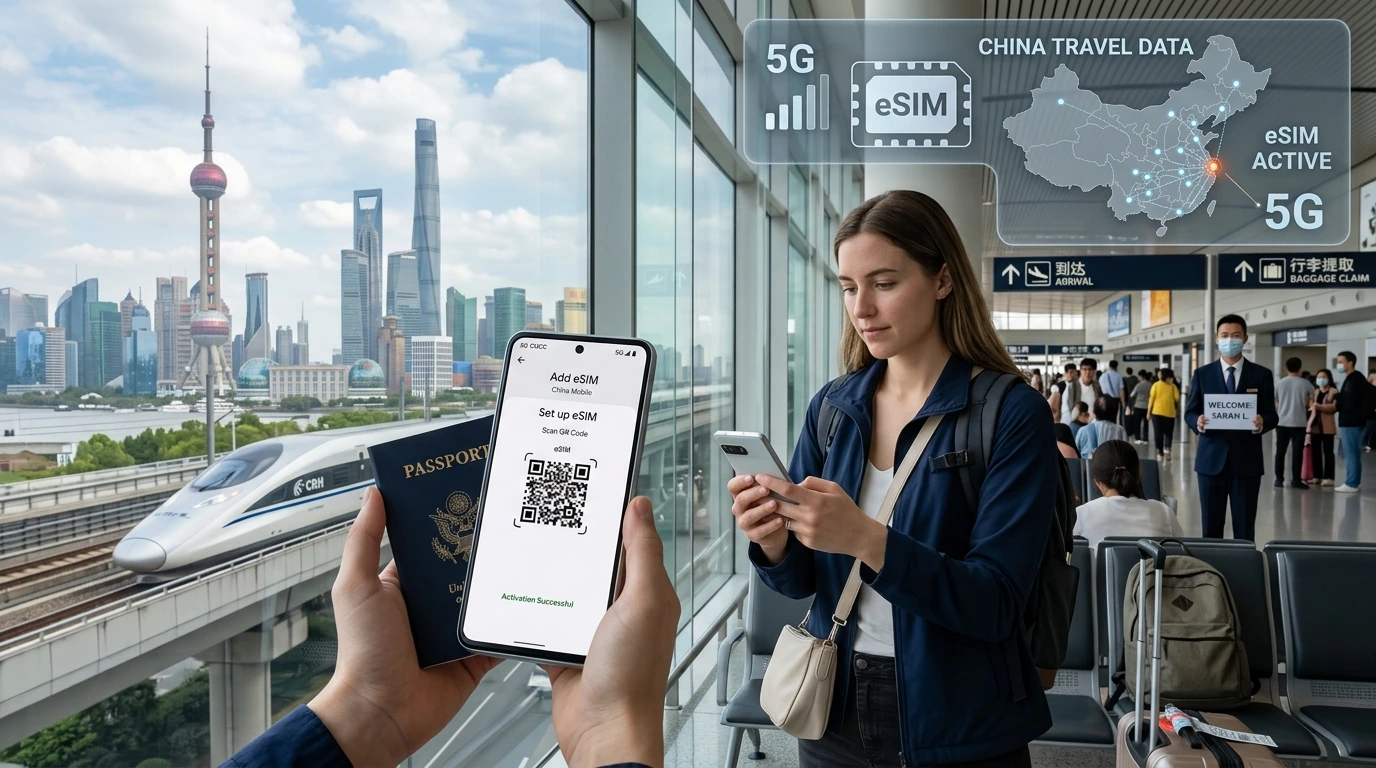
Understanding eSIM for China Travel
An eSIM, or embedded SIM, is a digital SIM card that allows you to activate a cellular plan from a carrier without needing a physical SIM card. For travelers to China, an international eSIM is particularly advantageous because many providers route internet traffic through servers outside mainland China, typically via Hong Kong or Singapore. This routing enables access to international services like Google, Gmail, WhatsApp, Instagram, and Facebook, which are otherwise blocked by China's Great Firewall if using a local physical SIM card.
This means you can use your familiar apps and services without needing a separate Virtual Private Network (VPN), simplifying your connectivity significantly. NexaEsim offers reliable China eSIM plans designed for international travelers, ensuring you stay connected with ease.
Device Compatibility: Is Your Phone Ready for an eSIM in China?
The first and most crucial step in preparing your device is to confirm it supports eSIM technology and is carrier-unlocked. Not all smartphones are eSIM compatible, and some regional variants may have limitations.
How to Check eSIM Compatibility on iPhone
Most iPhones released since 2018 (iPhone XS, XS Max, XR, and newer models) support eSIM. To verify on your iPhone:
- Go to Settings.
- Tap Cellular (or Mobile Data).
- Look for an option like Add eSIM or Add Cellular Plan. If you see this, your iPhone supports eSIM.
Important Exception for China Travelers: iPhones purchased in mainland China typically feature dual physical nano-SIM slots and do not support international eSIMs. This is a common pitfall for travelers who bought their devices locally. iPhones purchased in Hong Kong and Macau also had dual nano-SIM slots for earlier generations, with eSIM support added in newer models. Always verify your specific iPhone model's origin and specifications if you suspect it might be a mainland China variant.
How to Check eSIM Compatibility on Android
Many Android devices, including recent Samsung Galaxy, Google Pixel, and some OnePlus, Xiaomi, Oppo, and Vivo models, support eSIM. The exact steps can vary slightly by manufacturer and Android version:
- Samsung Galaxy: Go to Settings > Connections > SIM card manager. Look for an option to Add mobile plan or Add eSIM. Samsung began supporting eSIM with the Galaxy S20 series.
- Google Pixel: Go to Settings > Network & internet > SIMs. Look for Add eSIM or Download a SIM instead? Google Pixel phones have supported eSIM since the Pixel 4 (2019).
- Other Android Phones: For other brands, navigate to Settings > Network & internet or Connections, then look for options related to SIM cards, mobile networks, or adding a mobile plan.
A general method to check for eSIM hardware on any phone is to dial *#06#. If an EID (Embedded Identity Document) number appears, your phone has eSIM hardware.
Confirm Your Phone is Unlocked
Even if your phone supports eSIM, it must be carrier-unlocked to use an eSIM from a different provider. Phones purchased directly from a carrier, especially in countries like the US, might be locked to that network. If your phone is locked, it will not accept an eSIM from another provider. Contact your home carrier to inquire about your phone's unlock status and request an unlock if necessary, usually after fulfilling contract obligations.
Pre-Trip eSIM Setup Guide for China
Once you've confirmed your device's compatibility and unlocked status, the next critical phase is to set up your eSIM before you even leave for China. This proactive approach prevents last-minute stress and ensures you're connected the moment you land.
Choosing Your China eSIM Provider
Several providers offer eSIMs for China, each with different plans and features. When selecting, consider factors like data allowance, validity period, network coverage (which local carriers they partner with), and whether they offer international routing to bypass the Great Firewall. NexaEsim provides competitive China eSIM plans with reliable connectivity for travelers.
Purchasing and Installing Your eSIM Before You Fly
It is highly recommended to purchase and install your eSIM plan 1-2 days before your departure while you have a stable Wi-Fi connection at home. Waiting until you arrive in China can be problematic, as you'll need internet access to download the eSIM profile, which might be difficult to secure at the airport or without local connectivity.
The installation process typically involves scanning a QR code provided by your eSIM vendor:
On iPhone:
- Go to Settings > Cellular (or Mobile Service).
- Tap Add eSIM.
- Choose Use QR Code.
- Scan the QR code provided by your eSIM provider. If you're scanning from the same device, you might need to take a screenshot of the QR code and scan it from your photo library, or use a second device to display the code.
- Follow the on-screen prompts to label your new eSIM (e.g., "China Travel") and set your preferred line for calls and messages (you can keep your home SIM for these) and designate the China eSIM for Cellular Data.
On Android (e.g., Google Pixel):
- Go to Settings > Network & internet > SIMs.
- Tap Add SIM, then select Download a SIM instead? or Add eSIM.
- Tap Next and choose Scan QR code.
- Scan the QR code from your provider.
- Follow the prompts to complete the installation.
Important Pre-Activation Notes
After installing your eSIM, it's crucial to avoid accidental early activation of your data plan. Most eSIM plans activate when they first connect to a supported network. To prevent your plan from starting prematurely while still at home, ensure that the new eSIM line is not set as your primary data line until you arrive in China. You can usually manage this in your phone's cellular settings by keeping your home SIM as the default for mobile data.
Activating Your China eSIM Upon Arrival
Once your plane lands in China, you'll need to configure your device settings to activate your eSIM and get connected. This involves enabling the eSIM line, setting it for mobile data, and ensuring data roaming is correctly configured.
Enabling Your eSIM Data Line
Upon arrival, switch your mobile data to your newly installed China eSIM:
- Go to your phone's Settings > Cellular (iPhone) or Settings > Connections > SIM card manager (Android).
- Toggle on your China eSIM line.
- Select your China eSIM as the default for Cellular Data or Mobile Data.
- On iPhones, it's advisable to disable Allow Cellular Data Switching to prevent your phone from automatically switching back to your home SIM, which could incur expensive roaming charges.
Data Roaming Settings
This is a critical step that many first-time eSIM users overlook. Your eSIM requires data roaming to be enabled to connect to local networks in China.
- For your China eSIM: Navigate to its settings (Settings > Cellular > [Your China eSIM] on iPhone; Settings > Connections > SIM card manager > [Your China eSIM] on Android) and toggle Data Roaming ON.
- For your home SIM: Ensure that Data Roaming for your primary home SIM is toggled OFF to prevent unexpected international roaming fees.
Manual Network Selection (If Needed)
In most cases, your eSIM should automatically connect to a partner network (like China Mobile or China Unicom) upon arrival. However, if you experience connectivity issues, you might need to manually select a network:
- Go to Settings > Cellular > Network Selection (iPhone) or Settings > Connections > Mobile networks > Network Operators (Android).
- Disable Automatic network selection.
- Wait for your device to scan for available networks.
- Select a local network, typically China Mobile or China Unicom, as recommended by your eSIM provider.
First Connection & Troubleshooting
After configuring your settings, your device should connect to the local network within 1-3 minutes. You might see "Searching..." or "No Service" briefly. If you don't connect:
- Toggle Airplane Mode ON, wait 10 seconds, then toggle it OFF. This often forces a network re-registration.
- Restart your phone.
- Ensure you are above ground, as underground areas (like metro stations) might have limited initial signal.

Essential Pre-Travel App & Data Preparations
Beyond your eSIM, a few other digital preparations will significantly enhance your travel experience in China.
Download Key Apps Offline
China's internet ecosystem differs from many other countries, with popular international apps often blocked and local app stores having different offerings. Before your trip, download essential applications:
- Navigation: AMap Global (Gaode Maps) or Baidu Maps are excellent local alternatives to Google Maps. Download offline maps for your destinations.
- Translation: Google Translate (download offline languages) or Baidu Translate.
- Communication: WeChat is the ubiquitous messaging, social media, and payment app in China. Install and set up your account before you go.
- Payment: Alipay and WeChat Pay are dominant. Consider setting up international card linkages if available.
Backup Critical Information
Always have offline access to crucial travel details:
- eSIM QR Code: Take a screenshot of your eSIM QR code and save it to your photos or email it to yourself. This acts as a backup if you accidentally delete the eSIM profile or need to reinstall it.
- Hotel Information: Save the name, address, and phone number of your accommodation in both English and Chinese characters. This is invaluable for taxi drivers or asking for directions when offline.
- Emergency Contacts: Keep a list of emergency contacts, including your home country's embassy or consulate in China.
Common Mistakes to Avoid with China eSIM
First-time eSIM users, especially for China, often encounter similar issues. Being aware of these can help you avoid them:
- Buying After Arrival: Attempting to purchase and install an eSIM at the airport without existing internet access is a common trap. Always install before you fly.
- Not Enabling Data Roaming: This is the most frequent reason an eSIM fails to connect. Remember to enable data roaming specifically for your China eSIM line.
- Using a Mainland China iPhone: As mentioned, most iPhones sold in mainland China do not support international eSIMs. Verify your phone's origin.
- Forgetting APN Settings: While many providers configure APN automatically, some require manual entry. Check your provider's instructions and save the APN details.
- Dual SIM Conflicts: If using your home SIM alongside the eSIM, ensure your China eSIM is explicitly set as the data line and that your home SIM's data roaming is off to prevent unexpected charges.
- Assuming All eSIMs Bypass the Firewall: Not all China eSIMs route traffic internationally. Confirm with your provider that their plan includes this feature if you need access to blocked international services. NexaEsim plans are designed with international routing.
- Carrier-Locked Phone: A phone locked to your home carrier will not accept a foreign eSIM. Ensure your device is unlocked before travel.
- Deleting the eSIM Prematurely: Do not delete your eSIM profile until your trip is fully concluded. If you need to reinstall, check your provider's policy on reusing QR codes or requesting a new one.
Conclusion
Preparing your device for an eSIM in China is a straightforward process that ensures you remain connected and can access essential online services throughout your trip. By diligently checking device compatibility, installing your eSIM before you depart, and correctly configuring settings upon arrival, you can avoid common pitfalls and enjoy seamless mobile data. For reliable connectivity and easy setup, explore NexaEsim's China eSIM plans to find the perfect solution for your travel needs.