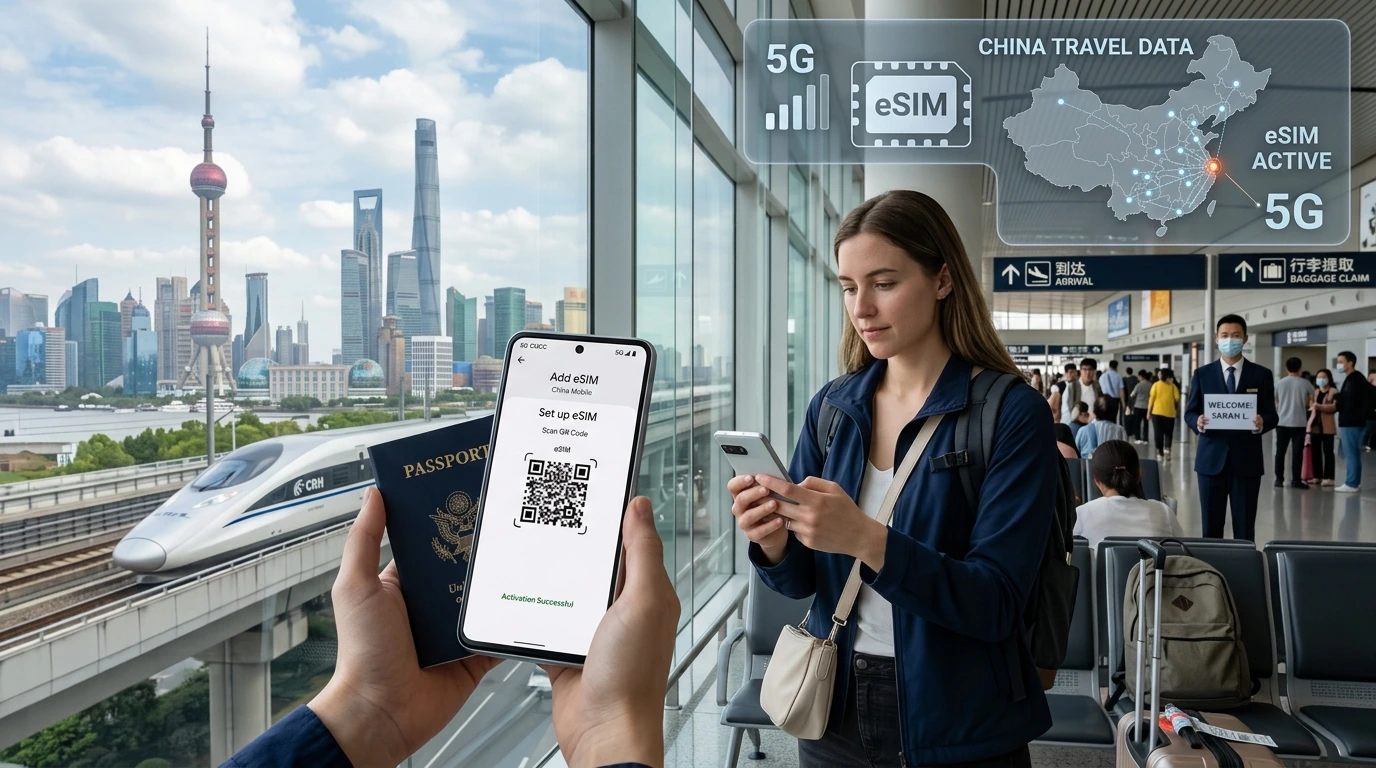
A travel eSIM lets you buy and activate mobile data plans for other countries without a physical SIM. This guide explains how eSIMs work, pros and cons, activation steps, and when to choose one for your trip.
What is travel eSIM? A travel eSIM is a digital SIM profile you install on a compatible device to buy and use local, regional or global data plans without inserting a physical SIM card.
Quick Answer
Quick Answer: A travel eSIM stores a mobile operator profile electronically on your phone so you can activate data plans for other countries instantly, keep your home number active, and skip buying physical SIM cards.
How travel eSIMs work
Travel eSIMs use a standard called eUICC to store carrier profiles on your device. Instead of swapping a tiny plastic card, you download a carrier profile (usually via QR code or an app) and activate it. Profiles can be added, removed or switched in your device settings.
eSIM vs physical SIM: the basics
- No physical swap: install plans digitally before or during travel.
- Multiple profiles: many devices can store more than one profile, though only one may be active for data at a time.
- Keep your home line: use dual-SIM functionality to keep your primary number while using a travel data plan.
How activation works
- Buy a travel eSIM plan from a provider.
- Receive a QR code or activation link by email/app.
- Open your phone settings (or provider app) and add the cellular plan using the QR or manual details.
- Choose the eSIM for data and set your home line for calls/texts, if needed.
Device and carrier compatibility checklist
- Check your device supports eSIM: see our compatibility tool at Compatible Devices.
- Ensure the phone is unlocked from any carrier lock.
- Confirm OS version (some older phones require updates) and that your model supports multiple profiles if you need them.
Benefits of using a travel eSIM
- Convenience: buy and install before you leave to have data on arrival.
- Multi-country plans: choose regional or global plans to cover several destinations without swapping SIMs.
- Security: no physical SIM to lose; profiles can often be remotely managed by the provider.
- Keep your home number active via dual-SIM settings for calls and verification texts.
Limitations & things to watch out for
- Device locked to a carrier? An eSIM may not work until the phone is unlocked.
- Not all countries or older models support eSIM; check country pages and device lists.
- "Unlimited" plans can include fair-use throttling or hotspot restrictions—always check the plan policy.
- Some countries have registration or ID requirements for mobile plans; review local rules on destination pages.
eSIM vs alternatives — quick comparison
eSIM vs local physical SIM
Physical SIMs can offer the best local rates and voice support, but require buying and inserting a card. eSIMs are faster and cleaner for short trips and multi-country itineraries.
eSIM vs roaming with home carrier
Home carrier roaming is convenient but often expensive. Travel eSIMs usually give lower data prices and better regional coverage for tourists.
eSIM vs pocket Wi‑Fi
Pocket Wi‑Fi works for multiple devices but is another device to carry, charge and rent. eSIMs provide device-native connectivity and are usually simpler for solo travelers.
How to buy and activate a travel eSIM
Pre-trip: check compatibility & buy
- Confirm device support on Compatible Devices.
- Check coverage for your destinations at our all countries map: NexaEsim Coverage.
- Pick single-country, regional or global plans depending on trip length and number of stops.
Installing the eSIM (quick steps)
- Open the activation email or provider app and find the QR code or activation link.
- On your phone, go to Cellular / Mobile Data settings and choose "Add Cellular Plan".
- Scan the QR code or enter details manually; follow on-screen prompts to name and enable the plan.
- Set data and voice preferences (which line for data, which for calls/texts).
For illustrated, device-specific steps see our full guide: Installation Guide.
Troubleshooting activation
- No QR scan? Use manual installation and the SM-DP+ details your provider supplies.
- Still not connecting? Restart the phone and toggle airplane mode after install.
- If you see no network, confirm the plan is active and that your device is not carrier-locked.
- Contact support or consult our detailed troubleshooting in the installation guide.
How to choose the right plan for your trip
Single-country vs regional vs global
Short trip to one country: single-country plan. Multiple neighboring countries: regional plan. Many countries across continents: global plan.
Day-based vs GB-based vs unlimited
Day-based plans are simple for short stays (x days of access). GB-based is best if you know your data needs. Unlimited plans often have hotspot or speed limits—check fine print.
Use-case examples
- 3–7 day city break: small GB or day-based single-country plan.
- 14–30 day multi-country trip: regional plan covering the route.
- Remote work / nomad: larger GB or verified unlimited plan with hotspot allowance.
FAQs
Below are common questions travelers ask. For more FAQs visit our blog: NexaEsim Blog.
Can I use an eSIM on any phone?
Most modern phones support eSIM, but check your model on the compatible devices page and ensure it is carrier-unlocked.
Can I activate an eSIM before traveling?
Yes — you can usually install and activate a travel eSIM before departure, then enable it on arrival. Some plans activate only when you reach the destination.
Does eSIM support mobile hotspot/tethering?
Many eSIM plans support tethering, but providers may limit hotspot speeds or data. Check the plan's fair-use policy.
Will an eSIM replace my home number?
No. With dual-SIM phones you can keep your home number active while using a travel eSIM for data and local calls if the plan includes voice.
What does “unlimited” mean on eSIM plans?
"Unlimited" often means uncapped data with potential speed reductions after a threshold or limited hotspot allowances—read the plan terms carefully.
Are there countries where eSIMs don't work?
Some countries have regulatory nuances or limited eSIM availability. Always check the destination country page on our coverage map before you buy.
How do I switch between eSIM plans when country hopping?
Store multiple profiles and switch the active plan in your phone's mobile settings. Some providers let you keep a profile inactive until you need it.
What if my phone is stolen — is eSIM safer?
eSIMs remove the physical SIM that thieves can use, and many providers can remotely disable profiles. Still secure your device with a passcode and Find My Phone features.
NexaEsim offerings & next steps
Ready to try a travel eSIM? Check our full country coverage at NexaEsim Coverage, verify your device at Compatible Devices, and follow step-by-step activation at Installation Guide. Read travel tips and long-form guides on our Blog.
If you need help choosing a plan, contact NexaEsim support for personalized recommendations and 24/7 assistance.