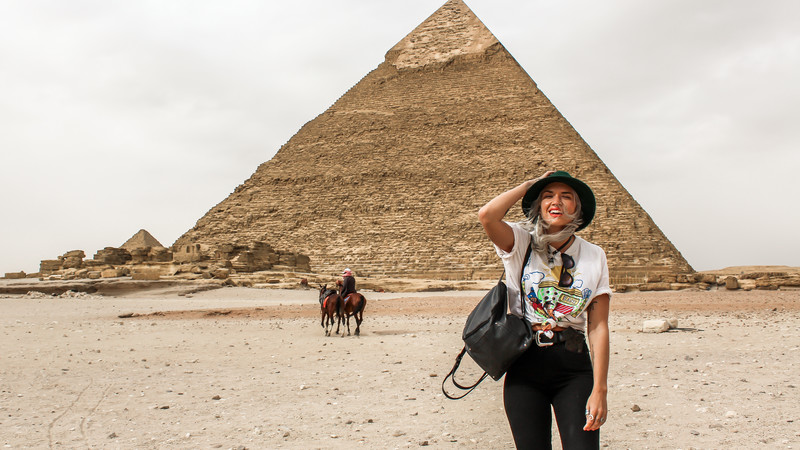
Before embarking on your Egyptian adventure, it's crucial to confirm if your smartphone supports eSIM technology. Most modern, carrier-unlocked devices are eSIM compatible, enabling you to enjoy reliable mobile data without needing a physical SIM card. This guide will walk you through checking your phone's compatibility and preparing for seamless connectivity with NexaEsim in Egypt.
Before embarking on your Egyptian adventure, it's crucial to confirm if your smartphone supports eSIM technology. Most modern, carrier-unlocked devices are eSIM compatible, enabling you to enjoy reliable mobile data without needing a physical SIM card. This guide will walk you through checking your phone's compatibility and preparing for seamless connectivity with NexaEsim in Egypt.
Key Takeaways for eSIM in Egypt
- Device Compatibility: Most iPhones (XS and newer, excluding some China/HK models), Samsung Galaxy (S20 series and newer), and Google Pixel (3 and newer) support eSIM.
- Carrier Unlocked: Your phone must be unlocked by your home carrier to use a travel eSIM in Egypt.
- Easy Check: Dial *#06# on your phone to quickly see if an EID (eSIM identifier) appears.
- Plan Coverage: Ensure your chosen eSIM plan specifically includes Egypt and has sufficient data allowance and validity.
- Activation: Install your eSIM via QR code before travel, and enable data roaming for the eSIM line upon arrival in Egypt.
Why Check eSIM Compatibility Before Your Trip to Egypt?
Ensuring your phone is eSIM compatible is the first and most critical step towards hassle-free mobile data during your travels to Egypt. An eSIM offers unparalleled convenience, allowing you to activate a local data plan digitally, often before you even leave home. This means no more searching for local SIM card vendors upon arrival, no physical card swapping, and the ability to keep your primary SIM active for calls and messages while using your eSIM for data. Verifying compatibility prevents unexpected connectivity issues and ensures you can stay connected from the moment you land, whether you're navigating the bustling streets of Cairo or exploring ancient Luxor.
How to Check eSIM Compatibility on iPhone
Apple introduced eSIM functionality with its iPhone XS and XR models. Since then, nearly all newer iPhone models have included eSIM support, offering a convenient way for travelers to manage their mobile data plans. However, there are regional exceptions to be aware of.
Checking Your iPhone for eSIM Support
To quickly determine if your iPhone supports eSIM, follow these steps:
- Go to Settings.
- Tap Cellular (or Mobile Data).
- Look for an option like Add eSIM or Add Cellular Plan. If you see either of these, your iPhone is eSIM compatible.
Alternatively, you can check for your device's EID (eSIM Identifier) number:
- Go to Settings.
- Tap General, then About.
- Scroll down and look for a section labeled Digital SIM or AVAILABLE SIM IMEI. If an EID (a long, 32-digit number) is present, your iPhone supports eSIM.
Specific iPhone Models Supporting eSIM
Generally, all iPhone models from the iPhone XS, iPhone XR, and iPhone SE (2nd and 3rd generations) onwards, including all iPhone 11 through iPhone 17 series, support eSIM. However, it's important to note that iPhones originating from mainland China, Hong Kong, and Macau typically do not support eSIM or are configured for dual physical SIM cards instead. Always verify your specific device's regional variant if purchased in these areas.
How to Check eSIM Compatibility on Android Devices
eSIM support on Android devices can vary significantly by manufacturer, model, and even the region where the phone was sold. While many flagship Android phones now include eSIM capabilities, it's essential to perform a quick check to confirm your device's readiness for an eSIM in Egypt.
Checking Samsung Galaxy Phones
For Samsung Galaxy users, here's how to check for eSIM compatibility:
- Go to Settings.
- Tap Connections.
- Select SIM Manager.
- If you see an option to Add eSIM, your Samsung Galaxy device supports eSIM.
Most Samsung Galaxy models from the S20 series (including S20, S21, S22, S23, S24, S25, S26 series), the Note 20 series, and all Z Fold and Z Flip models are eSIM compatible. Some older models or specific regional variants might not support it, so the in-device check is always recommended.
Checking Google Pixel Phones
Google Pixel phones have been at the forefront of eSIM adoption. To check your Pixel device:
- Go to Settings.
- Tap Network & Internet.
- Select SIMs.
- If you find an option to Add eSIM, your Google Pixel is eSIM compatible.
Google Pixel 4 and all later models (up to Pixel 10 series and Pixel Fold) support eSIM. Earlier models like the Pixel 3 and 3a may have eSIM support only on certain variants, such as those sold by Google or Verizon, while some regional versions (e.g., Japan, Southeast Asia, and certain Verizon models for Pixel 3a) might not.
Checking Other Android Brands and General Method
For other Android brands like Xiaomi, Huawei, Oppo, Sony, Motorola, Honor, and Vivo, eSIM support is typically found in select premium models and can depend heavily on the market of distribution and software version. The most universal way to check for eSIM compatibility across all Android devices is by dialing a simple code:
- Open your phone's dial pad.
- Dial *#06#.
- If an EID (Embedded Identity Document) number, which is a long string of approximately 32 digits, appears on your screen, your phone supports eSIM. This EID is the unique identifier for your device's embedded SIM.
If your Android phone does not show an EID or an "Add eSIM" option, it likely does not support eSIM functionality.
eSIM Compatibility on Other Devices
eSIM technology isn't limited to smartphones; it's also available on many tablets, smartwatches, and even some laptops, offering enhanced connectivity for a wider range of devices.
Tablets
- iPad: Many cellular models of Apple iPads support eSIM. This includes iPad Pro (3rd generation and later), iPad Air (3rd generation and later), iPad (7th generation and later), and iPad mini (5th generation and later).
Smartwatches
- Apple Watch: Cellular models of Apple Watch Series 3 and later are eSIM compatible, allowing them to function independently of your iPhone for calls and data.
Windows Laptops
- Certain Windows laptops, such as some models of the Microsoft Surface Pro X and newer, also come with integrated eSIM support, providing always-on connectivity without needing a physical SIM card or Wi-Fi hotspot.
For a comprehensive list of devices, it's always best to consult the manufacturer's official specifications or a dedicated compatibility page like NexaEsim's eSIM compatibility guide for Egypt.

What If My Phone Doesn't Support eSIM?
If you've checked your device and discovered it doesn't support eSIM, don't worry—you still have options for staying connected in Egypt. The most common alternative is to purchase a traditional physical SIM card upon arrival. Local Egyptian mobile network operators such as Orange Egypt or Etisalat offer prepaid physical SIM cards that you can insert into your phone. This will provide you with local data, and often local calls and SMS, for the duration of your trip.
While physical SIMs are a viable solution, eSIMs offer distinct advantages for travelers, including instant digital delivery, the ability to keep your home SIM active for essential contacts, and no risk of losing a tiny physical card. However, if your device isn't eSIM-ready, a local physical SIM remains a reliable way to get online.
Essential Conditions for Using eSIM in Egypt
Beyond device compatibility, two critical conditions must be met for your eSIM to function correctly in Egypt: your phone must be carrier-unlocked, and your eSIM plan must include coverage for Egypt.
Your Phone Must Be Carrier-Unlocked
A carrier-locked phone is restricted to a specific mobile network provider, meaning it won't accept SIM cards or eSIMs from other carriers, especially international ones. To use a travel eSIM from NexaEsim, your device must be "unlocked."
- For iPhone: You can check your phone's lock status by going to Settings > General > About. Look for "Network Provider Lock" or "Carrier Lock." If it says "No SIM restrictions," your iPhone is unlocked and ready for an eSIM. If it shows a restriction, you'll need to contact your home carrier to request an unlock.
- For Android: The process varies by manufacturer, but generally, you can find this information in your phone's network settings or by contacting your original carrier.
Your eSIM Plan Must Cover Egypt
An eSIM profile is essentially a digital placeholder; it needs an active data plan with coverage in your destination. Ensure that the NexaEsim package you purchase explicitly lists Egypt as a covered country. Regional or global plans may not always include every country within a geographical area.
NexaEsim offers a range of plans specifically designed for travelers to Egypt, ensuring you get reliable connectivity through local partner networks. These plans are data-only, allowing you to use internet-based communication apps while keeping your primary number active for calls and SMS.
You can explore NexaEsim's dedicated Egypt eSIM plans to find the right data allowance and validity for your trip.
Enable Data Roaming for Your eSIM
Once you arrive in Egypt, you will need to enable data roaming specifically for your NexaEsim line in your phone's settings. This allows your eSIM to connect to NexaEsim's local partner networks and access the data included in your plan. Be mindful to keep data roaming off for your home SIM if you don't intend to incur international roaming charges from your primary provider.
Choosing the Right NexaEsim Plan for Egypt
NexaEsim understands that every traveler has unique data needs. We offer a variety of eSIM plans for Egypt, designed to provide flexible and reliable connectivity. When selecting your plan, consider your trip duration and anticipated data usage.
NexaEsim offers both fixed data plans and unlimited data options. Fixed data plans provide a set amount of high-speed data for a specific duration, ideal for those with predictable usage. Unlimited data plans offer peace of mind with continuous connectivity, often including a daily high-speed allowance followed by reduced speeds until the next day, ensuring you're never completely cut off.
All NexaEsim plans for Egypt include hotspot/tethering functionality, allowing you to share your internet connection with other devices. Installation is straightforward via a QR code sent instantly to your email, and your plan activates only upon your first connection in Egypt.
To compare and select the best option for your journey, visit our Egypt eSIM plans page.
Troubleshooting Common eSIM Issues in Egypt
Even with preparation, you might encounter connectivity issues. Here’s a quick guide to common problems and their solutions:
| What you see | What to check next |
|---|---|
| No service | Ensure your eSIM plan covers Egypt, the eSIM line is enabled, your phone is registered on a local network, and you have local reception. |
| Signal but webpages do not load | Verify the correct eSIM line is selected for mobile data, your plan has an active data allowance, data roaming is enabled for the eSIM, and check for any required APN settings. |
| Webpages work but one app fails | The issue is likely with the specific app, its account, or service availability, not your eSIM. Try reinstalling the app or checking its settings. |
| Phone data works but hotspot fails | Confirm your eSIM plan includes tethering/hotspot permission and check the settings on the device you're trying to connect. |
For NexaEsim plans, if manual APN configuration is required, use data.esim. This is specific to NexaEsim and should not be applied to other providers' eSIMs. For detailed instructions on configuring APN settings, refer to the NexaEsim Egypt APN guide. Remember that 4G/5G coverage depends on the local network, your device, and your exact location. If your NexaEsim plan should be working but data is still unavailable, consult the Egypt eSIM troubleshooting guide or contact NexaEsim support.
Frequently Asked Questions about eSIM in Egypt
Only if the specific package you purchased includes Egypt in its coverage list and remains valid. Reusing a stored eSIM profile does not automatically extend its country coverage or renew an expired data allowance. An installed eSIM confirms your phone can store a digital profile, but you must also verify that your device is carrier-unlocked, the eSIM line is enabled for data, and your specific eSIM plan includes coverage for Egypt. Not necessarily. Many destination-specific travel eSIMs, including those for Egypt, require connection to a local partner network to activate. "No service" before arrival is often normal; focus on successful installation and activation upon landing. No, data.esim is the Access Point Name (APN) specifically for NexaEsim plans when manual configuration is needed. Other eSIM providers may use different APN settings or automatic configuration. If your phone doesn't support eSIM, you can still get mobile data in Egypt by purchasing a physical prepaid SIM card from a local carrier like Orange Egypt or Etisalat upon arrival.Will an eSIM I used in another country work in Egypt?
Does an installed eSIM guarantee my phone is ready for Egypt?
Should an Egypt-only eSIM connect before I depart?
Is "data.esim" the universal APN for all Egypt eSIMs?
What if my phone does not support eSIM?
Final Recommendation for Connectivity in Egypt
For a truly connected journey through Egypt, verifying your phone's eSIM compatibility is paramount. Start by confirming your device is carrier-unlocked and supports eSIM technology using the simple checks outlined above. Next, select a NexaEsim plan that precisely matches your travel duration and data needs, ensuring it explicitly covers Egypt. Install your eSIM via the provided QR code before you depart, and remember to enable data roaming for your NexaEsim line upon arrival.
NexaEsim provides reliable, data-only eSIM solutions that keep you connected to local partner networks across Egypt, from the pyramids to the Red Sea. By following these steps, you'll ensure seamless mobile data access, allowing you to share your experiences, navigate, and stay in touch effortlessly. Explore NexaEsim's Egypt eSIM plans today and travel with confidence.
For more insights into managing your connectivity abroad, consider reading our related articles:
- Using mobile data during an Egypt trip
- What to compare in an Egypt eSIM plan
- eSIM-Compatible Phones in 2026: Check Before Egypt
- How to Manage Multiple eSIM Profiles on One Phone